


Before we get started have a look at the QuickStart Guide to see the steps to create a gRPC Client. In this tutorial we will create a client for the sample gRPC Northwind Client that is included in FintX
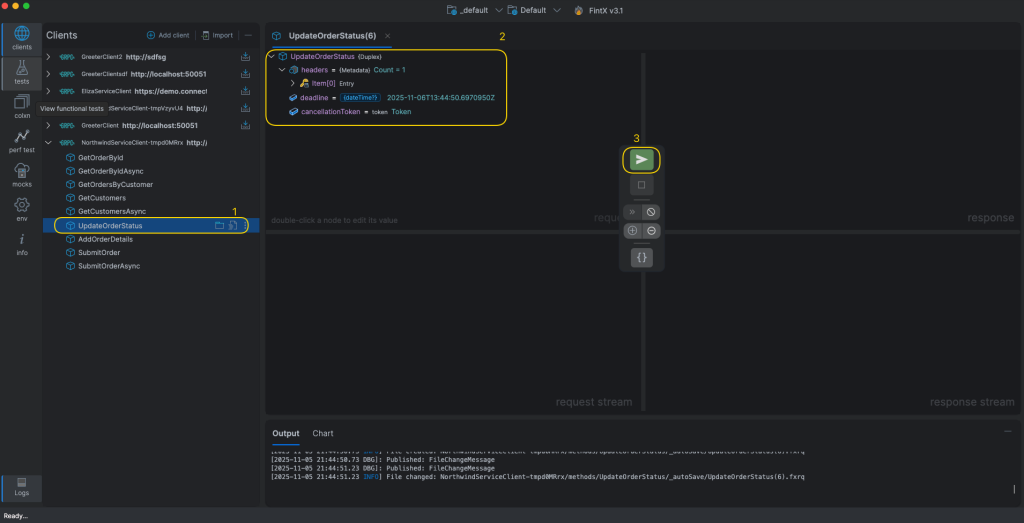
After creating the client, double click on the UpdateOrderStatus method. This method is a duplex/bi-directional streaming method.
Invoke the duplex method
- Double-click the UpdateOrderStatus method
- Edit the values in the request panel
- Click on the PLAY button to send the inital request to the server
Send a stream of requests
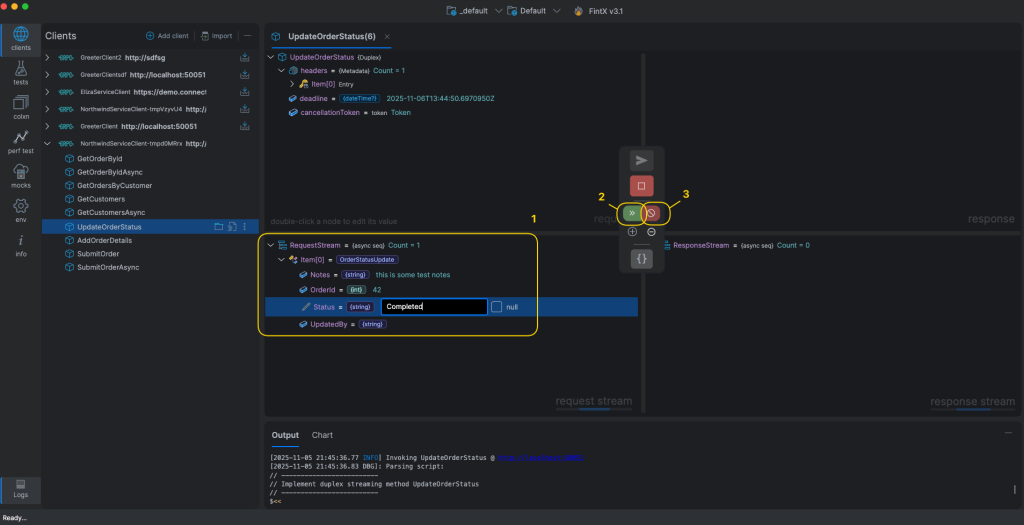
- Edit the current stream request values
- Click on the Send button to write to the server stream. Repeat 1 and 2 as many times as you need to write messages to the server stream
- Once you are done, click on the End button
Finish up
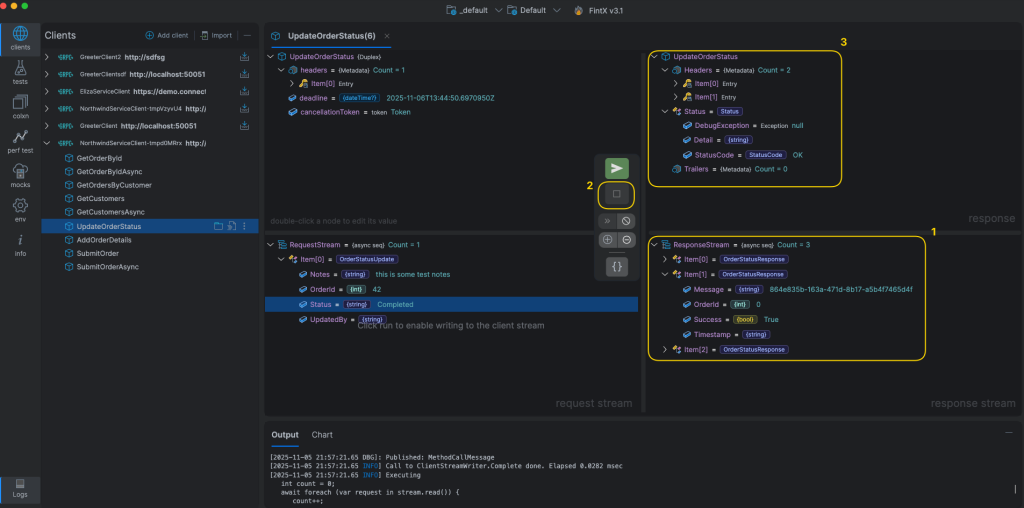
- The response stream panel displays in real-time streaming responses from the server
- Click the STOP button to end the session
- The response panel shows the final server response